
May 29, 2025


An office move can expose technology problems that remain hidden during normal operations. Internet service, phones, network equipment, printers, employee devices, security systems, and conference rooms all have to function in a new space, often on a tight schedule. If technology planning starts when employees begin packing, the business is already behind. A better approach treats the move as a technology project with its own timeline, inventory, testing process, and backup plans.

Before deciding what moves, document what the company currently uses. Include computers, monitors, servers, network switches, wireless access points, printers, phones, conference room equipment, backup devices, and specialized hardware.
The inventory can also identify equipment that should not make the trip. Moving an outdated printer or obsolete server costs time and creates another installation task at the new location.
Record serial numbers and current locations for important equipment. Labeling devices according to their destination can also prevent monitors, docking stations, and other hardware from ending up at the wrong workstations.
Internet access is one of the biggest dependencies in a modern office. Businesses should confirm which providers serve the new address, available connection types, installation lead times, bandwidth, and activation dates well before moving day.
Do not assume an existing provider can simply transfer service. Building infrastructure may differ, and installation could require additional cabling or coordination with property management.
Businesses that cannot tolerate an outage should also establish a temporary connectivity plan. A secondary connection or cellular option may keep critical employees online if primary service is delayed.
The physical office layout affects network performance. Workstation locations, conference rooms, wireless coverage, server rooms, printers, cameras, and access-control systems all need network connectivity.
This is a good time to determine whether existing cabling and equipment can support the new environment. A company may use internal staff or outside IT services to assess network requirements, coordinate installation, and test equipment before employees arrive.
Wireless coverage deserves particular attention. Walls, building materials, floor plans, and device density can change Wi-Fi performance significantly between offices. Our guide to enhancing network security and performance offers more to consider.
Physical equipment faces a greater risk of damage or loss while being disconnected, transported, and reinstalled. Current backups should be completed and verified before critical systems are shut down.
Sensitive devices require secure handling as well. Drives, servers, and computers may contain confidential business or customer information. The company should know who is responsible for each piece of equipment throughout transportation. Our article on keeping personal and business data secure has further steps.
Equipment that will be discarded should follow the organization's data destruction procedures rather than simply being thrown away or recycled intact.
An office relocation succeeds technologically when employees can sit down in the new space and continue working with minimal interruption. That requires early connectivity planning, accurate equipment records, secure backups, network preparation, and testing before opening day. Treating technology as a core part of the relocation plan can prevent a physical move from becoming an unexpected business outage. Look over the infographic below for more information.
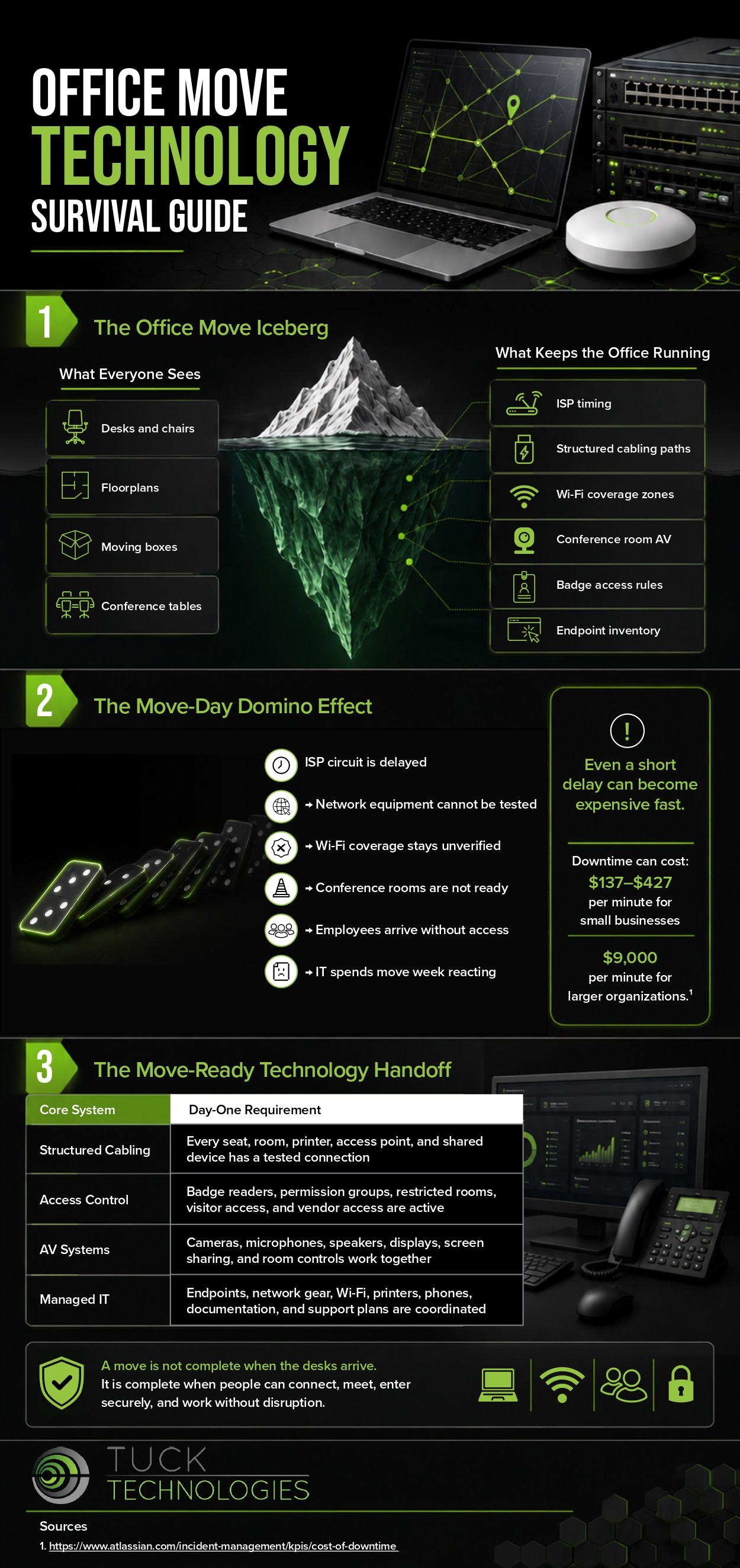
Well before packing begins. Treat the move as a technology project with its own timeline, inventory and testing process.
Providers, installation lead times and building infrastructure vary, and an existing provider may not simply transfer service to the new address.
Computers, monitors, servers, switches, access points, printers, phones, conference room equipment, backup devices and specialized hardware, with serial numbers and locations.
Complete and verify backups first, track who is responsible for each device in transit, and follow data destruction procedures for anything being discarded.
Connectivity, wireless coverage, printers and conference rooms, so employees can sit down and keep working with minimal interruption.